Building VideoStreamer: A Multi-Account Video Streaming Platform with Next.js, Mux, and Firebase
How I built a production-ready video streaming web app that ingests videos from any URL, distributes load across multiple Mux accounts, and serves them with adaptive HLS playback — all powered by Next.js 16, Firestore, and a clean admin dashboard.
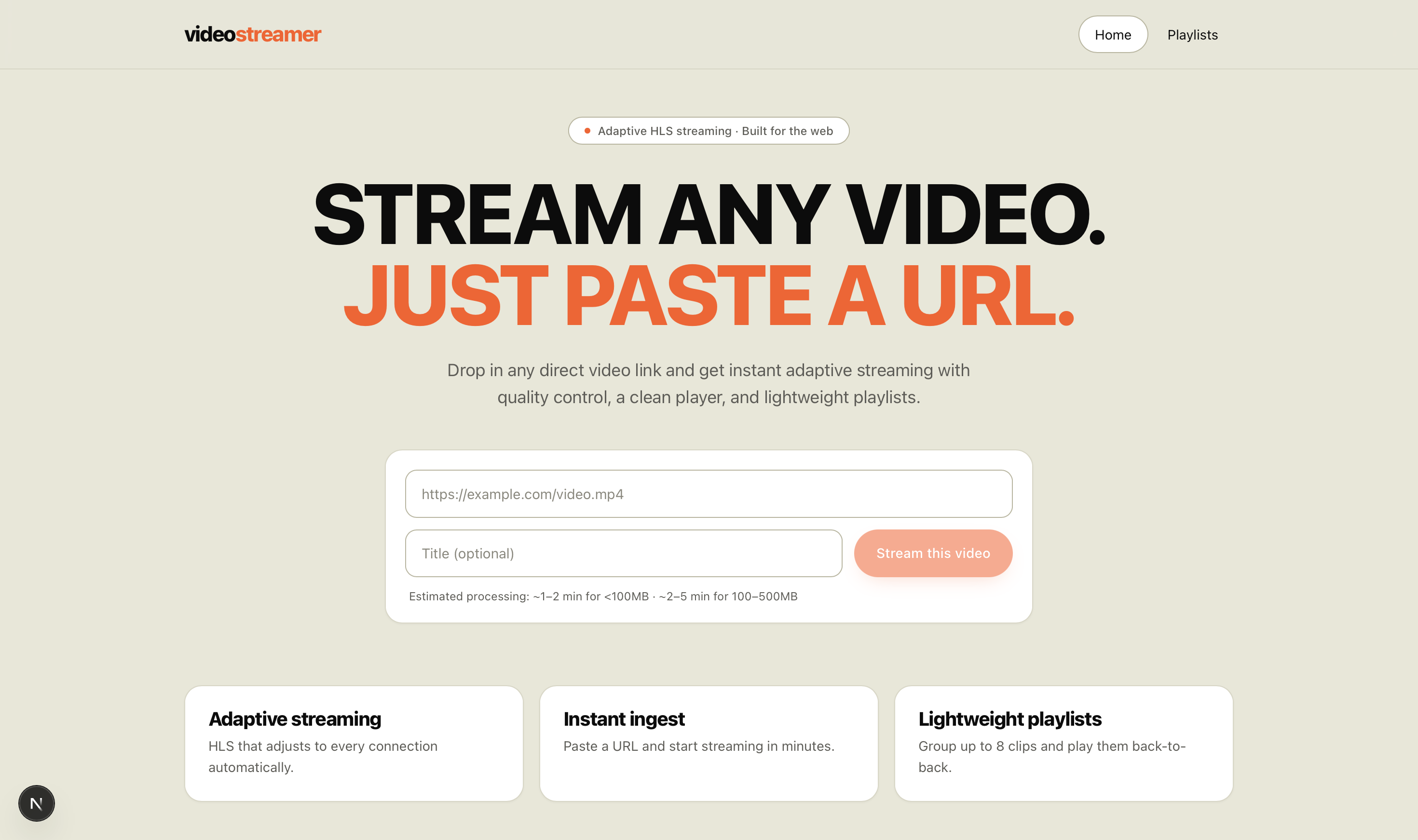
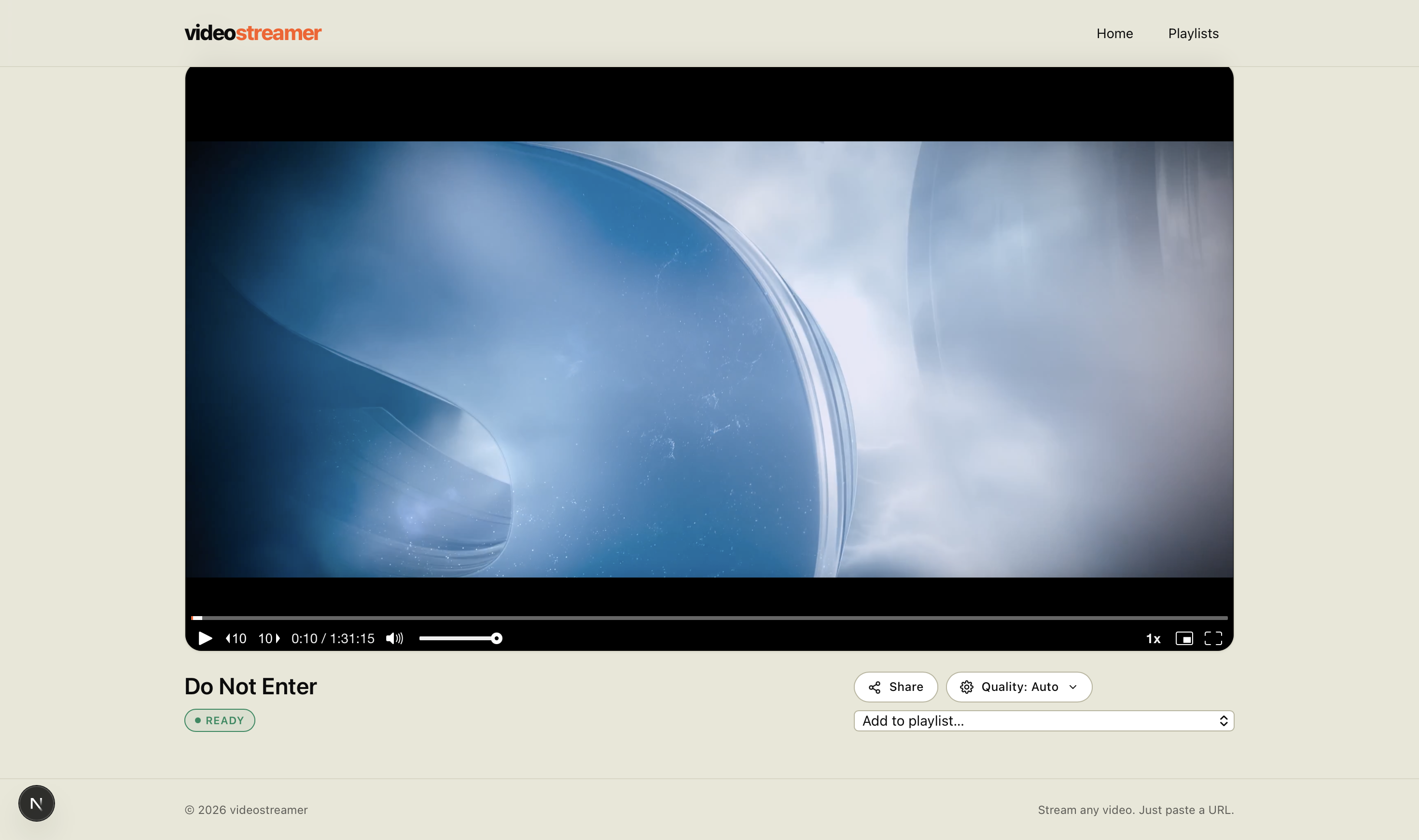
Streaming video on the web sounds simple until you actually try to do it. Encoding pipelines, adaptive bitrates, CDN delivery, storage limits, account quotas — each one is its own rabbit hole. VideoStreamer is my answer to all of that: a clean, multi-user web app that lets anyone paste a video URL and get back a smooth, professional player in seconds, with no manual encoding, no FTP uploads, and no per-account ceilings.
In this post I'll walk through what VideoStreamer does, why I built it the way I did, the architecture behind it, and exactly how you can spin it up yourself in under fifteen minutes.
What VideoStreamer Does
At its core, the app does five things really well:
- Ingests videos from any public URL — paste a link, it gets pulled into the platform automatically.
- Transcodes and streams via Mux — adaptive HLS playback that works on every device.
- Spreads load across multiple Mux accounts — when one account fills up, the next one takes over automatically.
- Organizes videos into playlists — up to eight videos per playlist with sequential autoplay.
- Cleans up after itself — a scheduled job deletes expired videos so you never blow past your quota.
Everything is wrapped in a minimal, distraction-free UI built with Tailwind v4, and protected by a password-gated admin panel for the operator.
Why I Built It
I kept running into the same problem: I had a handful of free-tier Mux accounts (each with its own monthly streaming and storage limits) and no easy way to use them as a pool. Either I'd manually pick which account to upload to — which got messy fast — or one account would silently hit its cap and break embeds.
VideoStreamer treats every connected Mux account as a slot in a single virtual pool. The app picks the account with the most free capacity on every new upload, increments the usage atomically, and decrements it again when a video is deleted. From the user's perspective there's only ever one streaming service. From the operator's perspective, you can scale capacity by adding accounts in the admin panel.
The Tech Stack
I deliberately kept the stack tight and modern:
- Next.js 16.2.4 with the App Router and Turbopack for the dev experience
- React 19 and TypeScript end-to-end
- Tailwind CSS v4 for styling
@mux/mux-nodeon the server for asset creation, status polling, and deletion@mux/mux-player-reacton the client for adaptive HLS playback- Firebase Firestore (via
firebase-adminand a service account) as the source of truth - Vercel Cron for the scheduled cleanup job
No Redux, no heavyweight state library, no custom video player. Every dependency earns its spot.
Architecture in One Diagram
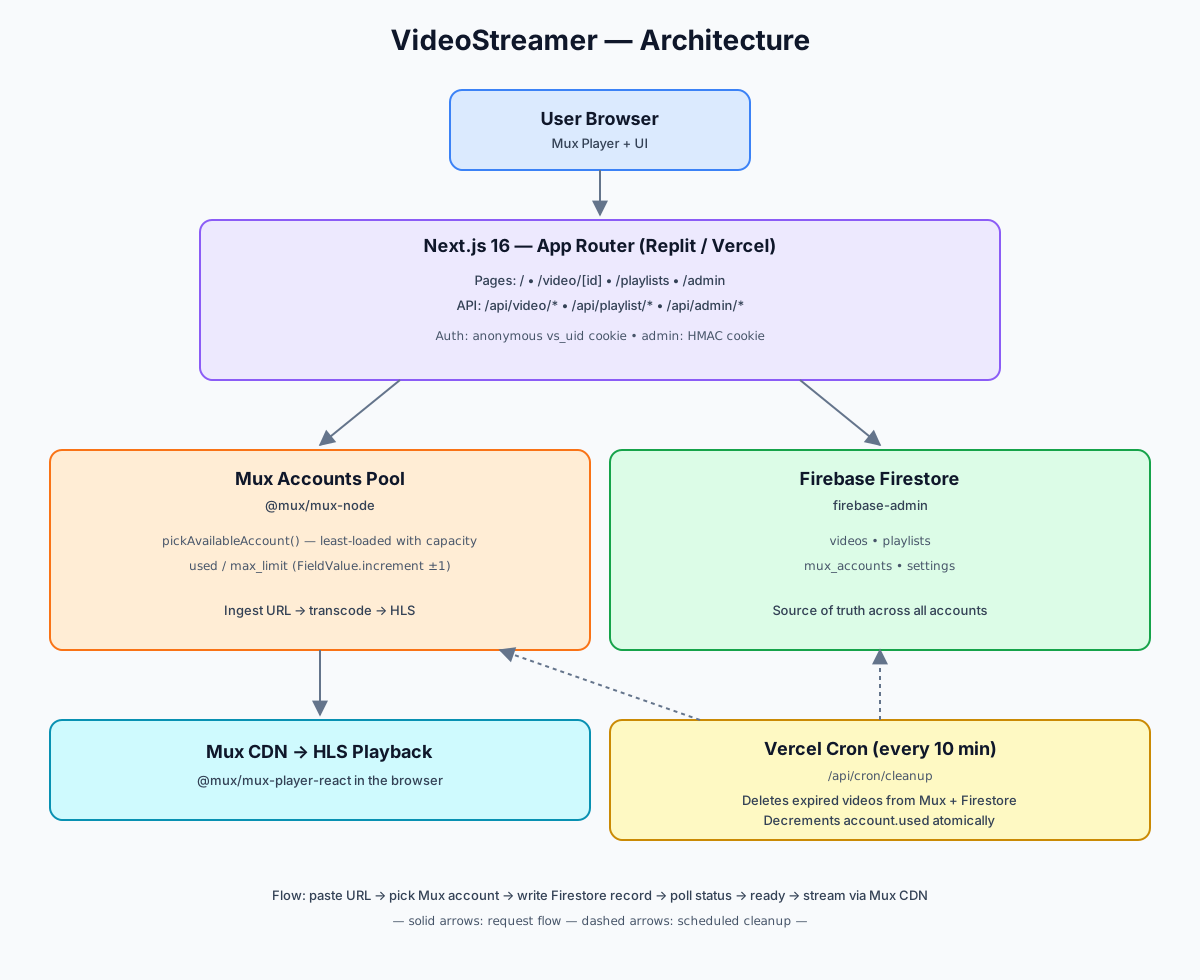
The flow is straightforward:
- A user pastes a URL on the home page.
- The browser hits
POST /api/video/create. - The server picks the least-loaded Mux account, kicks off ingestion, and writes a Firestore document with status
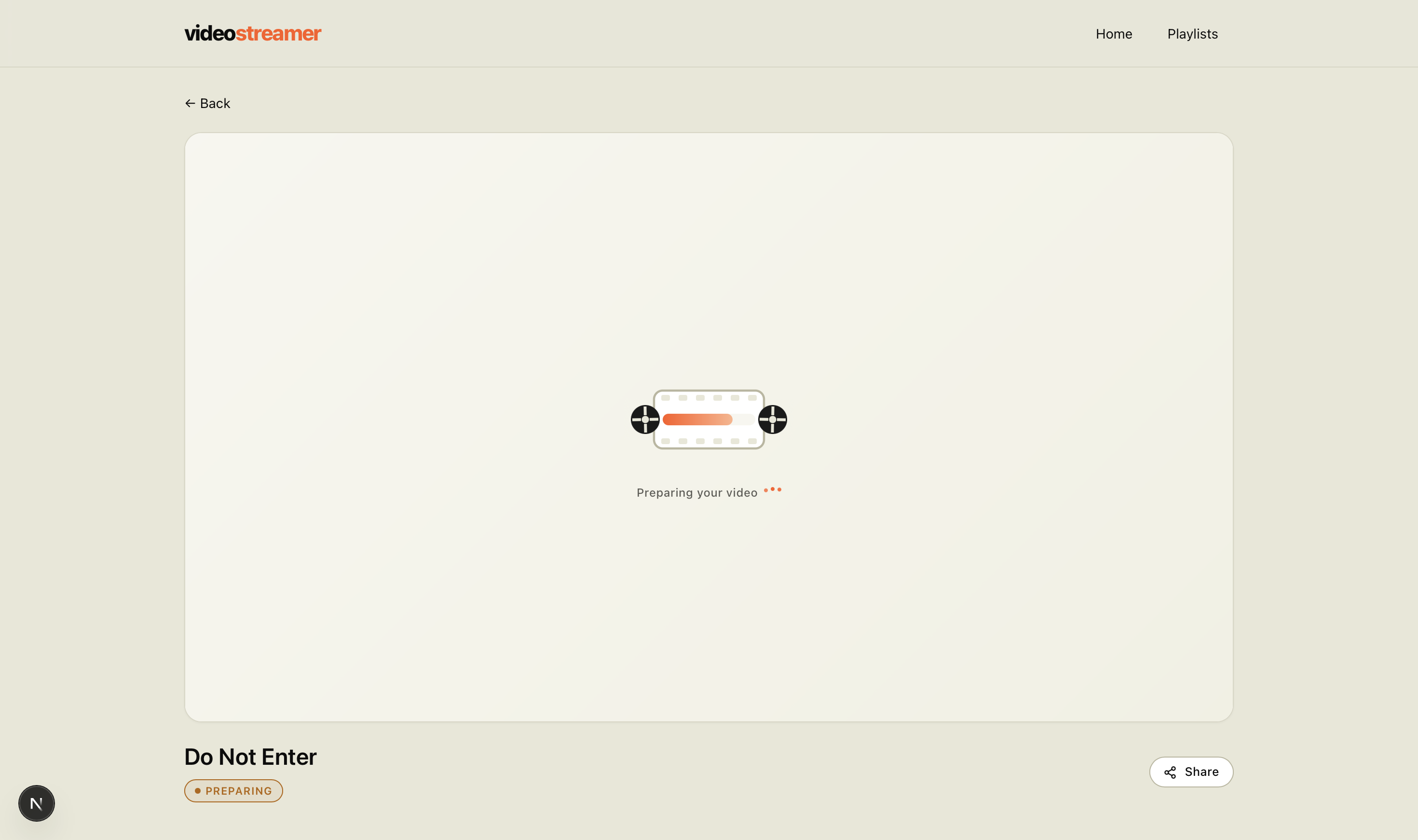
preparing. - The browser polls
GET /api/video/status?id=..., which reconciles Mux's asset status back into Firestore and returns it. - Once the asset is
ready, the player on/video/[id]starts streaming.
User identity is anonymous — every visitor gets an httpOnly vs_uid cookie on first visit, and that cookie scopes their personal video list and playlists. No signup, no email, no friction.
The Multi-Account Allocation Trick
This is the part I'm most proud of. Each Mux account is a Firestore document that looks roughly like this:
type MuxAccount = {
  id: string;
  label: string;
  tokenId: string;
  tokenSecret: string;
  used: number;       // currently allocated slots
  maxLimit: number;   // configurable per account
};
When a new upload comes in, the server runs pickAvailableAccount() — it scans every account, filters out the ones that are full (used >= maxLimit), and returns the one with the most free slots (maxLimit - used). That spreads load evenly instead of draining one account before touching the next.
The clever bit is using Firestore's atomic FieldValue.increment(1) when a video is created and FieldValue.increment(-1) when it's deleted. That keeps the counter accurate even under concurrent uploads — no read-modify-write race conditions.
await db.collection("muxAccounts").doc(accountId).update({
  used: FieldValue.increment(1),
});
If every account is full, the API returns a clear error so the user knows immediately instead of timing out.
Playlists, Done Right
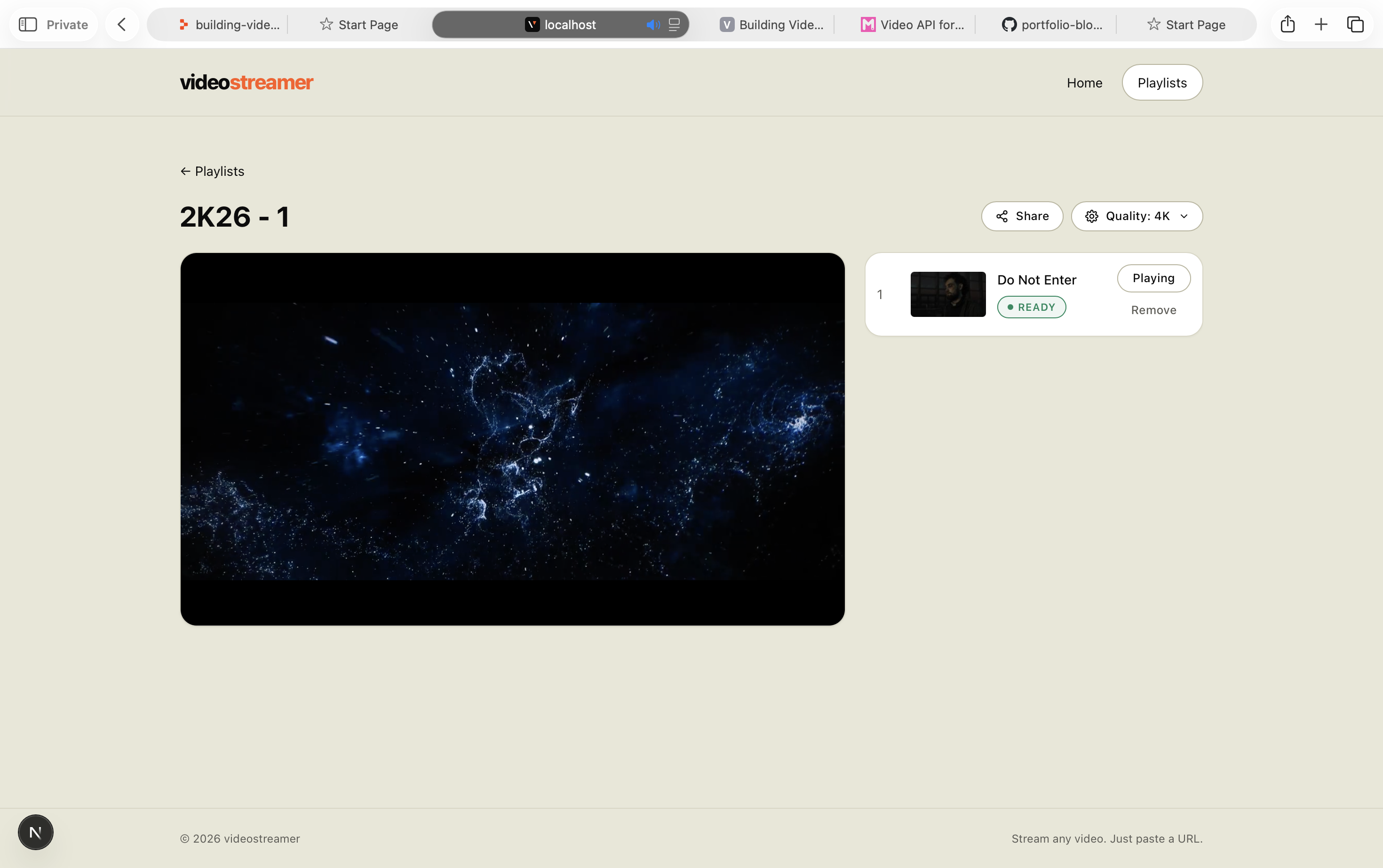
Playlists are capped at eight videos each — a deliberate constraint that keeps the UI clean and the playback experience snappy. The player automatically advances to the next video when one finishes, and you can rename, reorder, or delete playlists from the same screen.
The API surface is exactly what you'd expect:
GET    /api/playlist           # list mine
POST   /api/playlist           # create
GET    /api/playlist/[id]      # detail
PATCH  /api/playlist/[id]      # add | remove | rename
DELETE /api/playlist/[id]      # delete
The Admin Panel
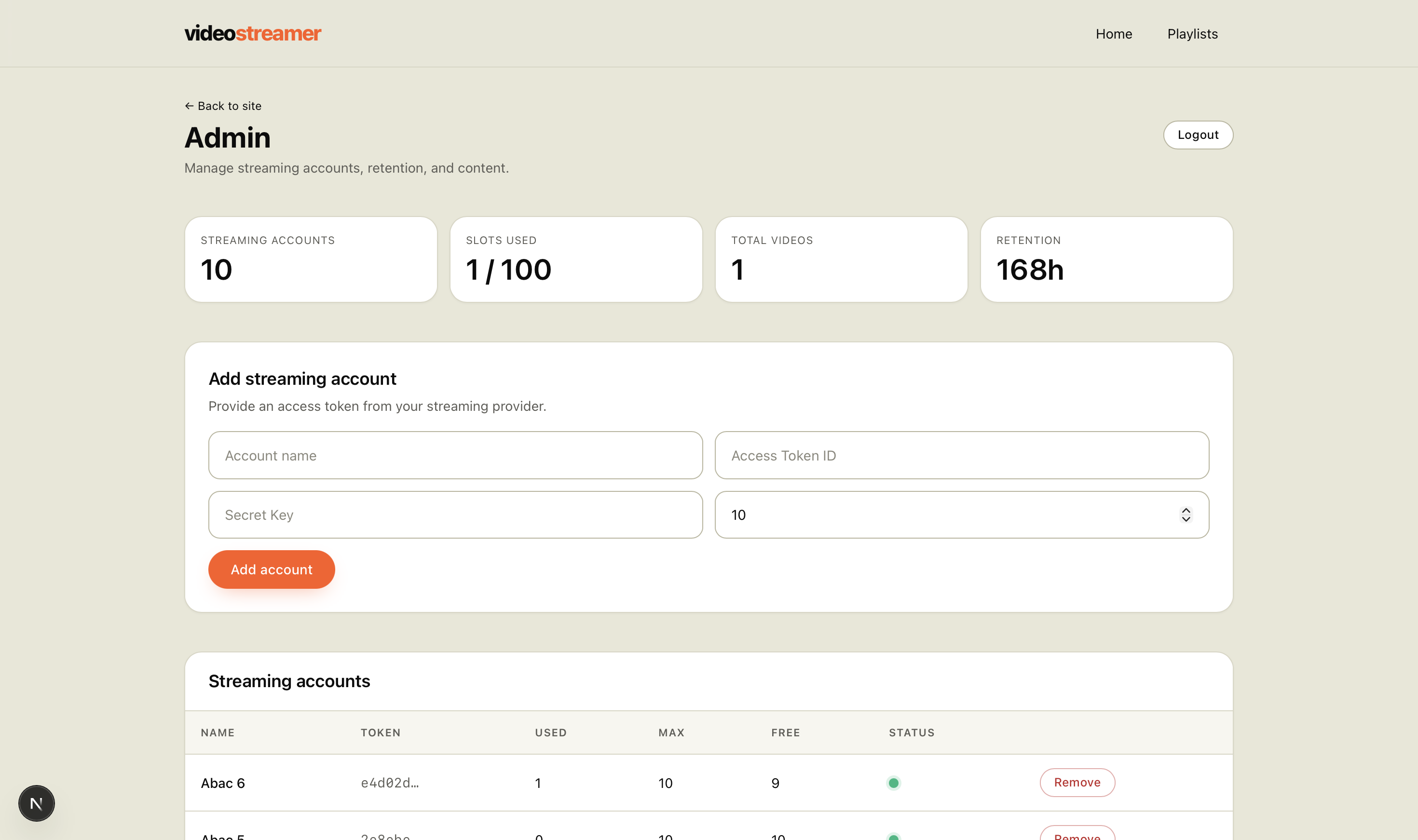
The admin panel is gated by a single ADMIN_PASSWORD and an HMAC-signed cookie. From there you can:
- Add, edit, and remove Mux accounts — paste a token ID and secret, set a max limit, and you're done.
- Set retention hours — videos older than this get deleted automatically by the cron job.
- List or wipe every video — handy for staging environments or quick resets.
- Change the admin password — without ever touching the env vars again.
Automatic Cleanup with Vercel Cron
The vercel.json ships with a cron schedule that hits /api/cron/cleanup every ten minutes:
{
  "crons": [
    { "path": "/api/cron/cleanup", "schedule": "*/10 * * * *" }
  ]
}
The endpoint checks an Authorization: Bearer <CRON_SECRET> header (Vercel sends it automatically), looks up every video older than the configured retention window, deletes it from Mux, removes it from Firestore, and decrements the matching account's used counter. Self-healing, hands-off.
Setup: Run It Yourself in 15 Minutes
Here's everything you need to get VideoStreamer running locally or on Replit.
1. Clone and install
git clone https://github.com/YOUR-USERNAME/videostreamer.git
cd videostreamer
npm install
2. Create a Firebase project
- Go to the Firebase console and create a new project.
- Enable Cloud Firestore in production mode (rules don't matter — we use the Admin SDK).
- In Project Settings → Service Accounts, click Generate new private key and download the JSON.
3. Create at least one Mux account
- Sign up at mux.com (the free tier is plenty to start).
- Go to Settings → Access Tokens and create a token with permissions for Mux Video (read + write).
- Copy the Token ID and Token Secret somewhere safe — you'll paste them into the admin panel later.
4. Configure environment variables
Copy .env.example to .env.local and fill it in:
cp .env.example .env.local
Set the three variables:
# The entire service-account JSON, collapsed to ONE line
FIREBASE_SERVICE_ACCOUNT='{"type":"service_account","project_id":"...","private_key":"...",...}'

# Initial admin password — change it from the panel after first login
ADMIN_PASSWORD="pick-something-strong"

# Random string used by the cleanup cron
CRON_SECRET="another-random-string"
Tip: To collapse the Firebase JSON to one line, run
cat service-account.json | jq -c .and copy the output.
5. Start the dev server
npm run dev
The app boots on http://localhost:5000 (or your Replit preview URL).
6. Add your Mux accounts in the admin panel
Visit /admin, log in with the password you just set, open the Mux Accounts tab, and paste in the token ID and secret you copied from Mux. Set a max limit that matches your tier (for example, 100 for the free tier), and save.
You're live. Paste any video URL on the home page and watch it transcode in real time.
7. Deploy to Vercel
npm i -g vercel
vercel
Add the same three env vars in the Vercel dashboard under Project Settings → Environment Variables. The cron in vercel.json will start firing automatically once deployed.
Things I Learned Building This
A few takeaways from shipping the project:
- Atomic counters > read-modify-write. Firestore's
FieldValue.incrementsaved me from an entire class of bugs around concurrent uploads. - Anonymous-by-default is freeing. Skipping auth turned a weekend project into a one-evening project, and the cookie-scoping pattern is genuinely enough for personal-use tools.
- Mux's polling model is your friend. Don't try to be clever with webhooks for a small app — a simple
GET /api/video/statuspoll from the player is more than fast enough and orders of magnitude easier to debug. - Constraints make the UX better. The 8-video playlist cap and the strict retention window were the two best decisions I made; both prevent the app from ever feeling cluttered or expensive.
What's Next
A few features on the roadmap:
- Optional public sharing links with view counts
- Per-video custom thumbnails (instead of Mux's auto-generated one)
- A "transfer ownership" flow for when a
vs_uidcookie is lost - Webhook-based status updates as a faster alternative to polling
Wrapping Up
VideoStreamer is the kind of project I love to build — small enough to fully understand, opinionated enough to ship, and useful enough that I actually use it every week. The full source is on my GitHub, and the setup above should get you running in a single sitting.
If you spin it up, hit me up — I'd love to see what you're using it for.